Hubumo
All features
Night floor

Bar POS

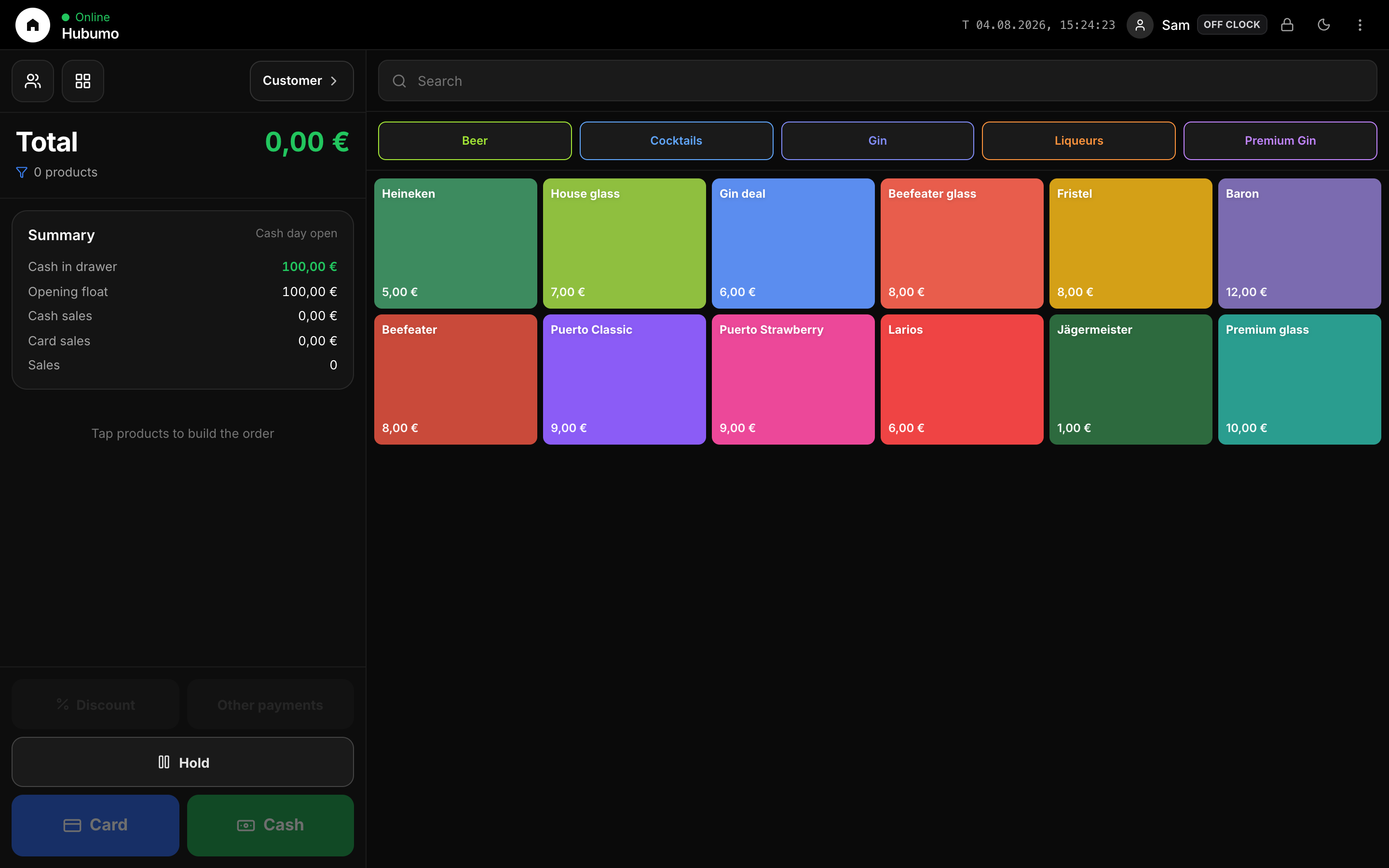
Bar POS is the primary till. Staff unlock with PIN, open the cash day, sell from the live catalog, take Cash / Card / Balance, hold bills, link tables from waiter, and optionally drive a second-screen customer display.

What you can do

Concrete capabilities from the live Hubumo build — not a generic feature list.

  • Staff PIN lock + Lock POS from the header
  • Open / close cash day with float, expected drawer, variance report
  • Cash day sales list from the ⋮ staff menu
  • Color product tiles + category chips (same Catalog as Manager)
  • Happy Hour prices when configured
  • Discount %, member balance on the check, split Cash+Card
  • SumUp / Stripe card handoff when configured
  • Receipt: print and/or email after pay
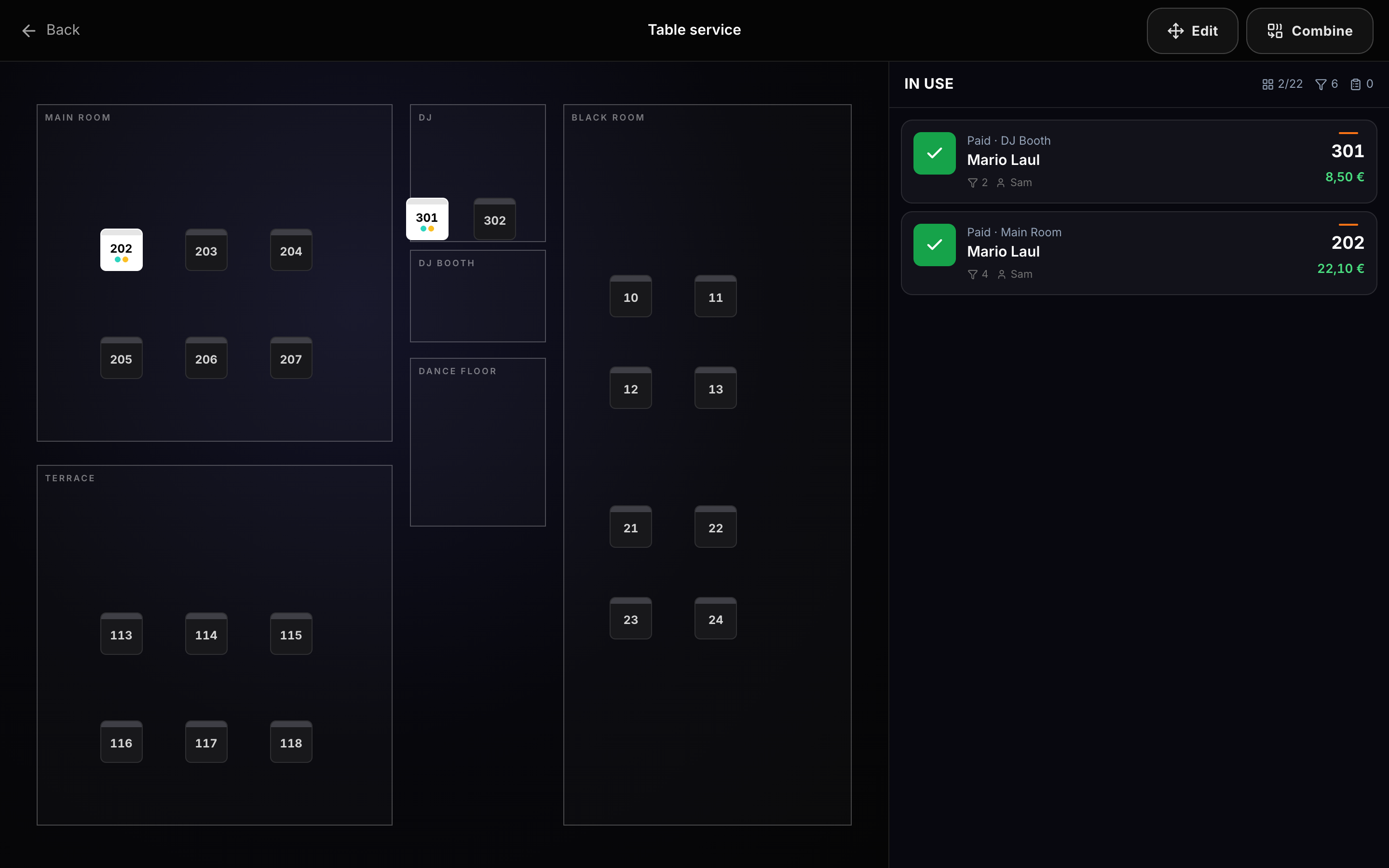
  • Hold / resume orders; table service map with waiter blink
  • Kitchen tickets when food items hit the cart
  • Membership validity badges when membership fee mode is on
  • Customer: find/create member (phone QR for ID photos); offers sheet when that pack is on
  • Second-screen customer display link

In depth

Cash day

Sales that hit the till need an open register. Opening float is entered on a money keypad; closing asks for counted cash vs expected (float + cash sales), shows card and balance totals, and can be blocked if holds, open tables, QR orders or cart items remain.

  • Open cash register… → float presets 50/100/150/200 €
  • Close cash day… → count drawer → Confirm close & save
  • Cash day sales… → every POS sale since open
Selling on the bar

Build a cart from the grid, adjust qty, apply discount or balance, then Card, Cash, or Other payments (split). Confirm opens the receipt sheet with print/email toggles and cash change keypad.

  • Category chips filter the same Catalog Manager edits
  • Happy Hour prices appear automatically in the window
  • Customer button: find/create member (phone QR ID photos); offers sheet when that pack is on
  • Lock POS from the header without closing the cash day

Table service

The table icon blinks when waiter pushes updates or QR orders arrive. Open Table service for the floor map (zones, OPEN/HOLD/RESERVED), assign the current bill, hold, combine tables, pin map positions.

  • Zones match how you run the room (Main, Terrace, VIP…)
  • Hold keeps the bill for bar pickup without losing the table
  • Combine merges checks when guests move

Customer display link

When Customer display is enabled, a second screen mirrors the cart or lets guests self-order into the bar queue — same products and open cash day rules as the till.

How it works — step by step

  1. 1
    Unlock

    Enter staff PIN on the POS lock screen.

  2. 2
    Open register

    ⋮ → Open cash register → enter float → Open register.

  3. 3
    Build check

    Tap products; optional Customer / discount / balance.

  4. 4
    Take payment

    Card, Cash, or Other payments → confirm → print/email.

  5. 5
    Close night

    Clear holds/tables → Close cash day → count drawer → save report.

Screens & flows

UI previews of the real surfaces — till, door, manager, displays — so you can see options and steps before opening the app.

Till — cart + catalog grid
Pay · Cash
Subtotal28,00 €
Discount 10%−2,80 €
To pay25,20 €
Print
Email
Confirm · change 4,80 €
Pay sheet — cash / card / change
Table service map
Close cash day
Opening float
100,00
Cash sales
420,50
Expected
520,50
Card sales
890,00
Confirm close & save
Cash day close summary

Try Bar POS in the venue

Log in to Manager to run the night, or browse every other module from the full features list.

Explore more modules