Guest path
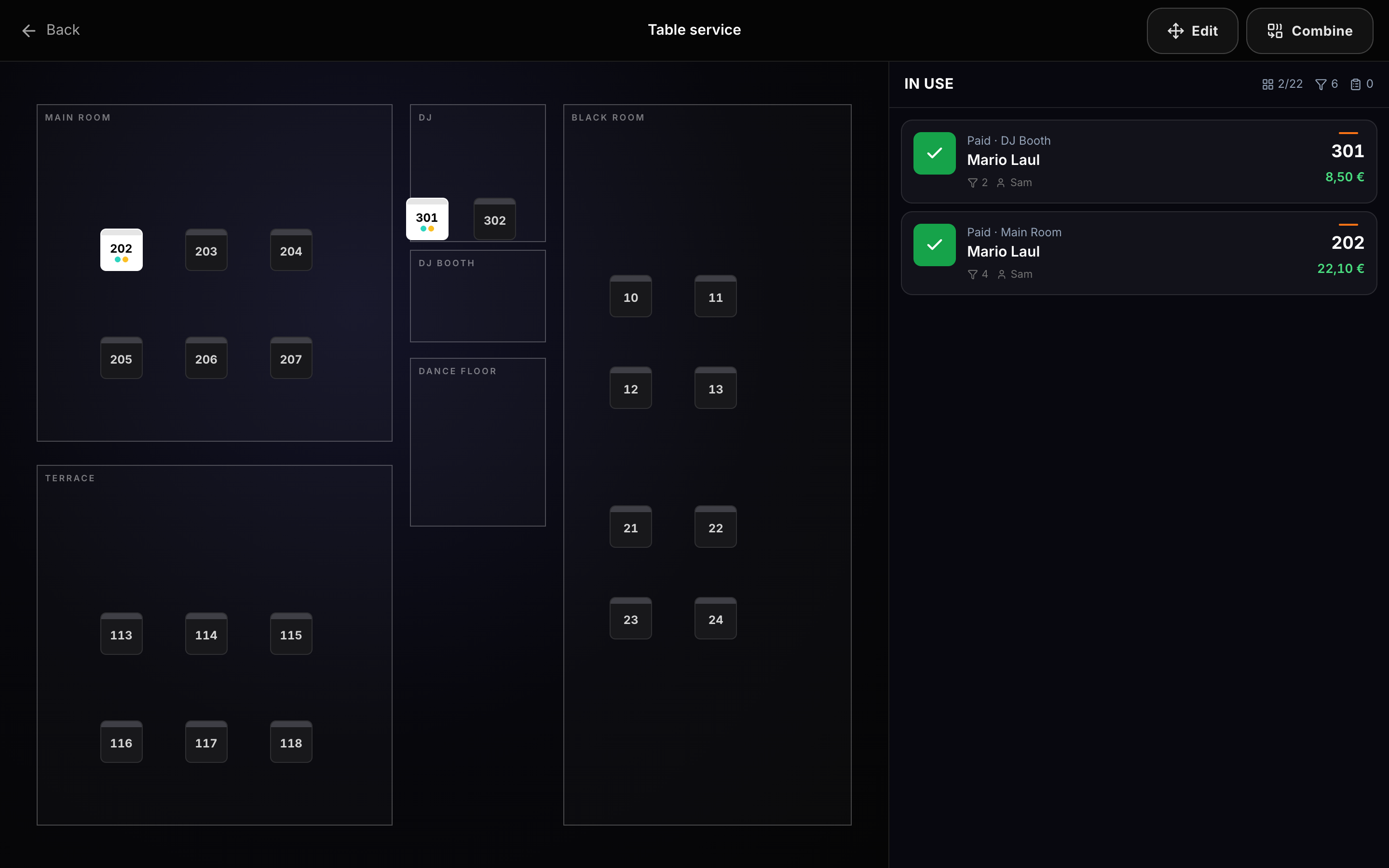
Scan the table QR, browse the live catalog, send the order. Staff see the table open/hold/paid state on POS Table service and Waiter.
Manager lays out tables with QR codes. Guests open /t/{code} on their phone, order from the catalog (everyone or members-only), and items land on the bar table check — same database as POS and Waiter.
Concrete capabilities from the live Hubumo build — not a generic feature list.
Scan the table QR, browse the live catalog, send the order. Staff see the table open/hold/paid state on POS Table service and Waiter.
When Guest self-order is members-only, walk-up guests cannot place QR orders without an active member — useful for private floors.
Manager → Tables — place tables, print QR.
Settings → Guest self-order: everyone or members-only.
Guests scan → bar/waiter work the same check.
UI previews of the real surfaces — till, door, manager, displays — so you can see options and steps before opening the app.
Log in to Manager to run the night, or browse every other module from the full features list.